Log daily expenses in fewer steps
Amounts support simple calculations, and you can quickly reuse past records based on the same amount, merchant, or historical details.
 "Handy Expense Tracker" · iPhone / iPad / Mac
Track income and expenses on iPhone, iPad, and Mac. Log purchases manually, by voice, or from receipt photos. Organize spending with categories and labels, review clear charts, and keep your records in sync with iCloud.
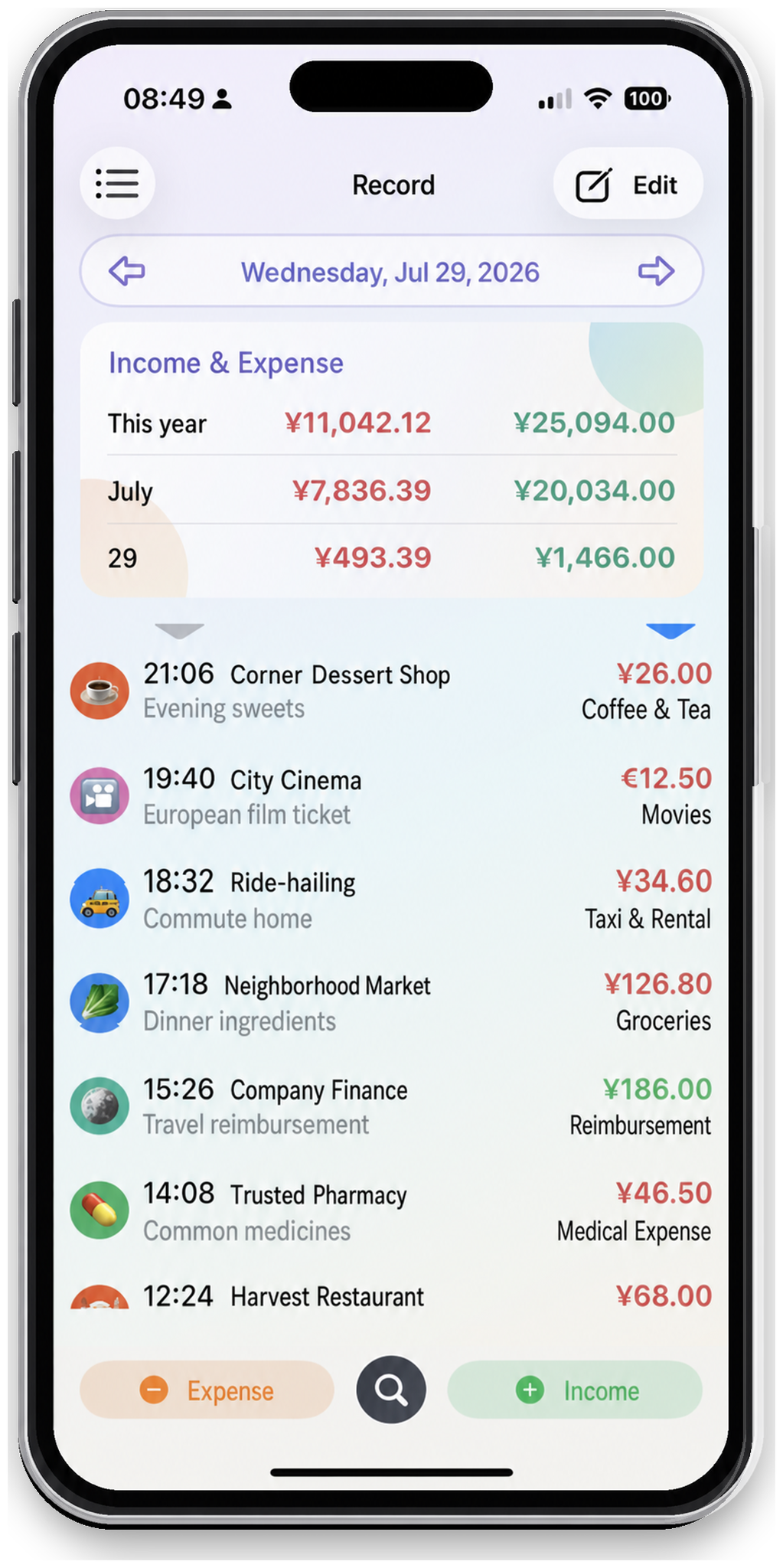
From everyday purchases to travel, multiple currencies, and long-term financial reviews, Handy Expense Tracker puts complex information into a clear structure.
Amounts support simple calculations, and you can quickly reuse past records based on the same amount, merchant, or historical details.
Photograph a receipt or import an order screenshot, select the relevant area, and extract transaction details. Check the amount, date, and suggested category before saving, then organize the record with labels and payment methods. Learn how to record expenses from receipts →
Use categories, subcategories, labels, and payment methods to organize the same income or expense from different angles.
Create monthly templates for rent, subscriptions, and other recurring income or expenses. When the app checks templates, it creates any due records that have not yet been generated.
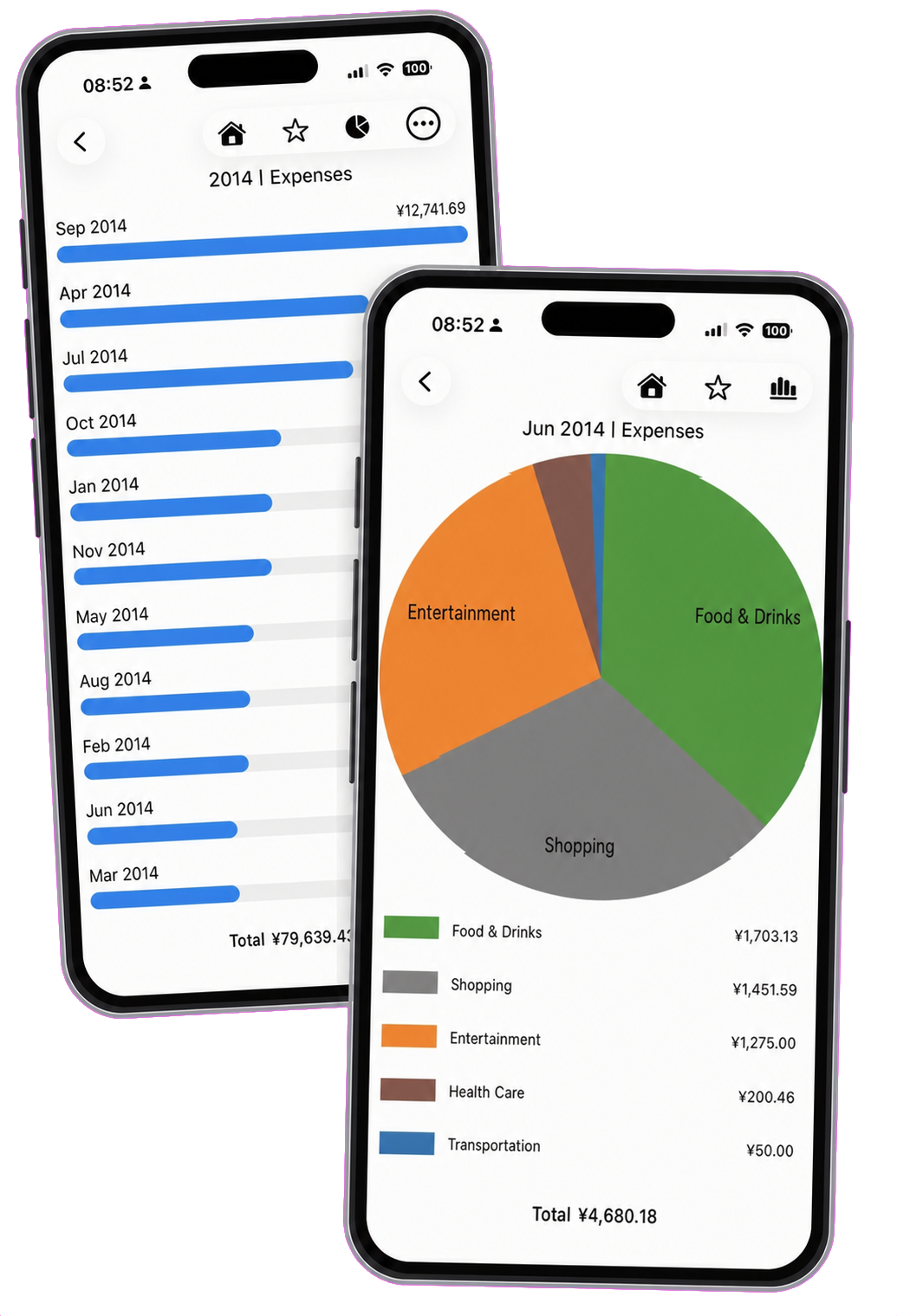
Summarize step by step by year, month, day, category, label, or payment method. Use pie charts to see proportions and bar charts to compare data, and add frequently used analyses to Quick access.
Group flights, hotels, meals, and other purchases under a trip label. Record expenses using payment methods in different currencies, review converted totals in your home currency, and see where your travel money went.
Read the travel expense tracking guide →Data is automatically synced to your other devices through iCloud with the same Apple ID. You can also enable Face ID, Touch ID, or password verification, and import or export CSV files at any time.
Make your income, expenses, and life plans clearer over time.
Choose Add with Camera or Add from Photo when adding an expense. Check the receipt selection, analyze the image, and confirm the extracted details before saving. See the receipt photo instructions →
Yes. Use the same iCloud account on each device to sync your expense records automatically. Learn about iCloud syncing →
Create payment methods in the currencies you use and group your trip purchases with a label. Check both the original amount and the converted home-currency total, then review spending by label or in charts. Read the travel expense tracking guide →
Yes. Create a monthly template for rent, subscriptions, or other fixed income and expenses. When the app checks templates, it creates due records that have not yet been generated. It does not create future-dated records in advance. Learn how monthly templates work →
Open Settings and choose the export option to save your records as a CSV file. Images are not included, and CSV exports are not a complete app backup. Keep regular exports of important records alongside iCloud syncing. See export instructions → or review the CSV file format.